Build and grow your brand from one marketing studio.
One studio: a product, who presents it, what it says and where it runs. Configure a variant and it becomes a generation node bound to your saved originals, so a reload or a handoff to Rig keeps every reference.
Name, brand, offer and approved claims, saved with the project.
Up to five originals, kept byte-identical.
A saved reference. On request one public page is read, and nothing is added until you review it.
Pull a clean product cut-out from one of your own photos.
Import a brand kit from your own site URL, then edit voice, palette and type; every variant inherits it.
Up to six cast images, or a locked identity from Production.
Describe a new presenter; the portrait goes through generation review and becomes a reusable cast reference.
Twelve opening lines per campaign, written against the brief.
Nine formats, from UGC review, tutorial and unboxing to CGI product, poster and motion graphic.
Ads presets for image variants, read live.
1k, 2k or 4k across the documented ratios.
Up to a hundred bindings; each one is a generation node.
Start from a video ad you own and adapt its direction to the variant.
Editable text, image and shape layers, exported as a full-size PNG original.
Campaign video through the project’s configured engines.
Publish leads to review and delivery. No posting provider is connected.
Product URLs are saved references, not a claim that a storefront was scraped. Social accounts and posting providers are not connected; Publish leads to review and delivery.
One room. One composer.
Every tool is a preset that opens the same composer. Assets are visible and draggable on every page.
The same room on every page.
Library on the left, Inspector on the right, one composer, one prompt enhancer. Every card is a button; nothing dead-ends in a toast.
Recent projects, saved projects, a new one. A project is one brief and one cast across every suite; switching suites waits for pending saves.
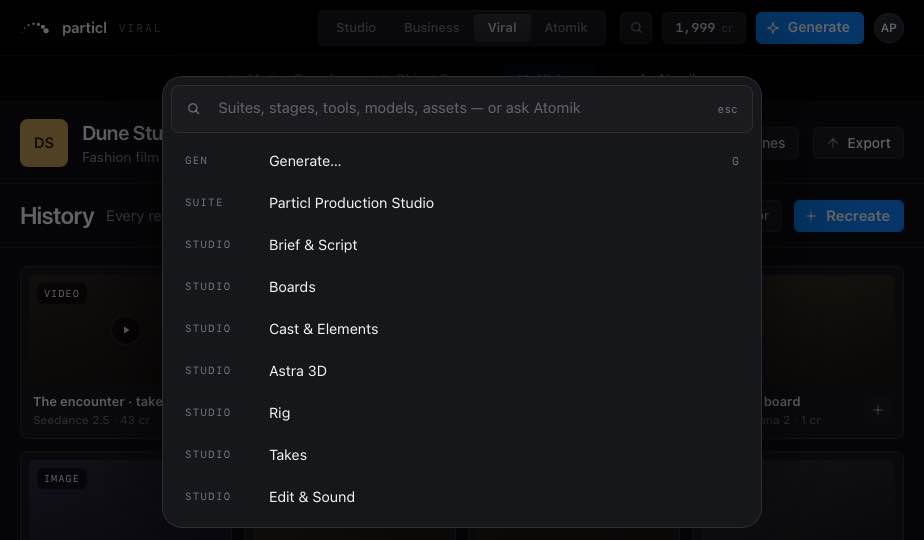
Generate, suites, every page, Workspace, models, assets and “Ask Atomik: …”. Enter runs the top hit.
On every stage. Every tile drags onto any reference well or Rig node. Download original is always the original bytes.
Controls, Inputs and Versions for whatever is selected: asset, take, run, node, item or stage.
Copy, cut, paste, duplicate, move to, retry, and a 20-deep undo.
One provider, chosen in Workspace › General. Never on raw: prompts.
The same room, one hand.
Home · Workflow · Canvas · Takes · Edit in a glass tab bar, stage sheets that pull up over the work. Every tap target is at least 44 px.
Credits, not seats.
1 credit = US$0.80. Plans differ on credits and features, never headcount.
Invite-only, built for small teams.
A stranger with an invite gets from email to first render in five minutes. Invites are one-time links, sent by a person.
Already invited? Sign in